
August 20, 2026




Over a decade of building nonprofit digital experiences, we've seen the same set of challenges recur across almost every nonprofit and NGO, and we've seen how the right CMS turns each of those weaknesses into a strength. The mistake organizations make is shopping for a CMS by brand or price first. The better approach is to start from your strategic objectives, then filter your options by the technical capabilities that actually support those objectives.
A nonprofit's digital strategy usually comes down to a few goals: reaching more of the right people, converting them into members and donors, operating efficiently with a lean and often volunteer team, and doing all of it securely and accessibly. The features below map to those goals. Use them as a checklist when you evaluate any platform.
Nonprofit digital experiences are rarely simple programs, campaigns, events, resource libraries, and donation flows all live on one site. You need a platform flexible enough to model that complexity without custom code for every change. Look for pre-built modules, configurable content types, and a component-based page builder your team can use directly.
If you can't demonstrate that visitor information and donations are secure, your digital presence is effectively a liability. Threats evolve constantly, so the CMS should be backed by actively maintained, enterprise-grade security, ideally with a dedicated security team behind the core. When you evaluate vendors, ask:
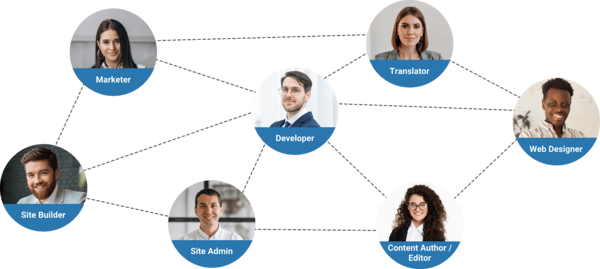
Your organization runs on part-timers, volunteers, and staff from diverse backgrounds and first languages. None of that should slow down publishing. Everyone involved in content, site building, and marketing should be able to work in the CMS according to their role, regardless of technical skill. That means the platform should offer:
Global nonprofits with distributed teams, organizations like MSF, and UNHCR have relied on a multilingual Drupal platform to build complex, collaborative digital experiences for exactly this reason.
If your mission spans regions, localizing your messaging to each audience is one of the highest-return moves in your digital strategy. The right CMS lets your team translate, review, and publish content across languages and sites from a single workflow without rebuilding duplicate pages for each language or standing up separate translation teams. Localization isn't only about language; it's about adapting content to the context of each beneficiary and region.
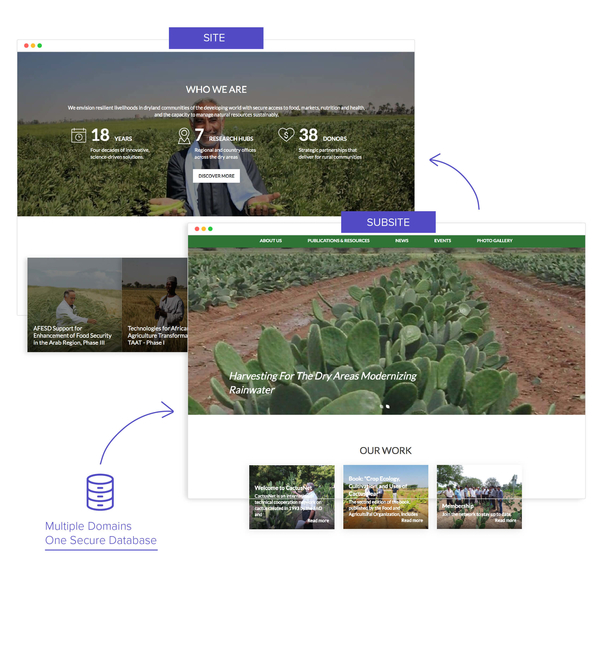
Managing many sites on different platforms forces different standards and skill sets, and multiplies costs. A CMS with true multisite capability lets a focused IT team run every site under your umbrella from one framework and lets marketing publish across all of them more efficiently. Rather than funding numerous separate development projects, invest in a platform that provides:
Identifying the right multisite architecture for your organization is worth doing deliberately rather than by default.
A modern digital experience is an interconnected web of channels and systems, and each has to integrate cleanly with your site. The platform should scale and connect with the tools your operations depend on, including:
Drupal's extensibility, both contributed integrations and custom-tailored ones, is a large part of why it has become a strategic asset for nonprofits that need to connect to almost anything.
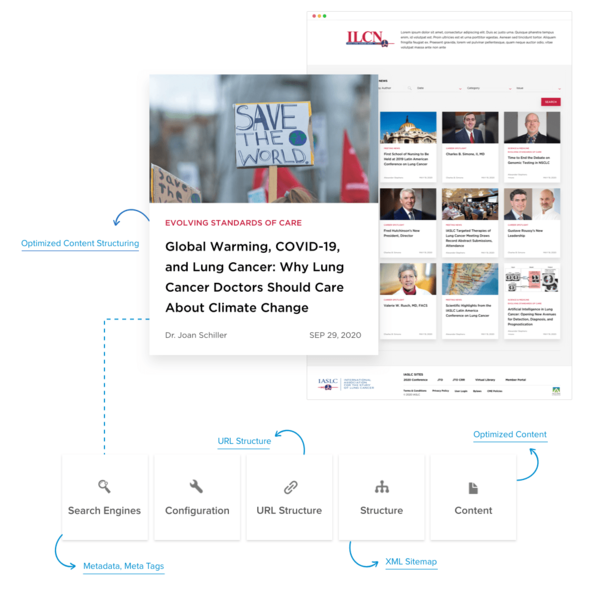
Content structure is what search engines reward with visibility, and what humans rely on to find what they need. Content-heavy nonprofits often struggle here: a legacy menu and tangled information architecture drag down both UX and rankings. When IASLC, a US-based global nonprofit, relaunched on a structured Drupal platform, reorganizing a sprawling legacy menu into a user-centric navigation delivered measurable improvements:
Accessibility is both a mission imperative and, increasingly, a legal one. US-funded and public-sector-adjacent nonprofits face ADA and Section 508 expectations, and organizations operating in Europe face the European Accessibility Act. WCAG 2.2 AA is the current benchmark. Choose a CMS that supports accessible markup, keyboard navigation, and accessible editorial output by default so compliance is built into how content is created, not bolted on after an audit. Drupal core is developed against accessibility standards, which gives nonprofit teams a defensible starting point.
Reach means little if your communication doesn't convert visitors into members and donors. A high-converting donation page depends on UX fundamentals that should be easy for your marketing team to assemble and optimize:
With a component-based page builder, marketing can personalize and optimize these pages in minutes rather than waiting days for developers.
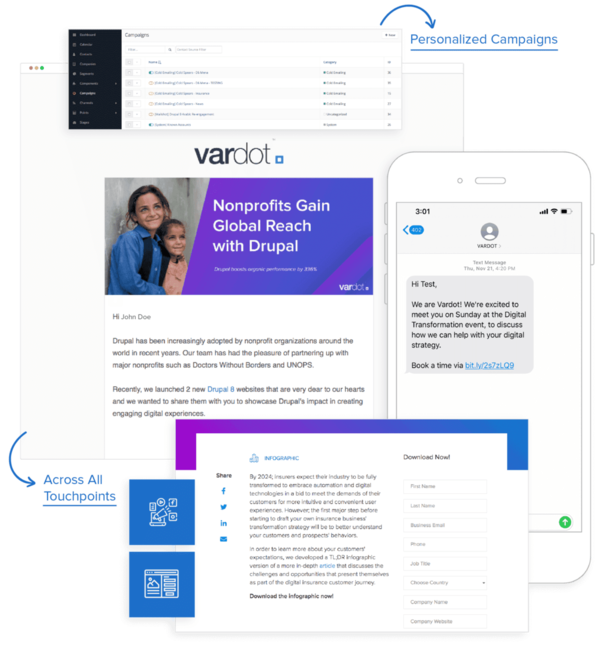
Personalization is what sustains a relationship with each visitor through relevant content and experience. The evidence is consistent: McKinsey's research finds personalization typically drives a 10–15% revenue lift (with company-specific gains ranging from 5–25% by sector), and reports that 71% of consumers now expect personalized interactions, with 76% frustrated when they don't get them. Epsilon similarly found 80% of consumers are more likely to engage with brands that personalize. For nonprofits, the same dynamics apply to donor engagement and retention. A CMS with built-in personalization and a flexible layout system lets your team tailor experiences without a separate tool stack.
The pandemic ended any debate about whether ongoing support and maintenance matter; they're now understood as essential to digital strategy and, often, to survival. An open-source platform like Drupal is well-suited to nonprofits that are constantly growing, because you won't have to switch platforms or buy upgrades every time you add functionality. Two operational choices protect everything above:
Choose a vendor with an in-house DevOps capability and a proven record of keeping the CMS current with proactive monitoring and reporting. And for budget-conscious nonprofits, cloud hosting reduces IT overhead while sustaining the uptime and performance your users expect. (For how this plays out over a platform's life, our migration timing analysis shows what deferred maintenance eventually costs.)
Our view, after a decade of this work: the platform debate matters less than most nonprofits assume, and the operating model matters more. Almost any modern CMS can check these ten boxes on a demo. What separates a site that delivers from one that quietly decays is whether your team can actually run it securely and accessibly in every language you serve without depending on a developer for routine changes. That's the lens we'd apply to any shortlist, and it's why we built Varbase as an enterprise Drupal distribution that ships these capabilities configured rather than as raw building blocks.
If you want help aligning your strategic objectives with the technical requirements that support them, a structured platform audit is the most useful first step and far cheaper than discovering the gaps after you've committed.
Get in touch for a consultation and audit.
Request a ConsultationUser-friendly editing, multilingual support, multisite capability, donation integration, SEO tools, accessibility compliance, and reliable security.
Global nonprofits serve diverse communities; multilingual CMS enables communication in donors' and beneficiaries' native languages.
Multisite allows managing multiple websites from one Drupal installation, ideal for nonprofits with regional chapters or program-specific sites.
Varbase provides pre-built nonprofit features: donation forms, multilingual admin, SEO tools, accessibility compliance, and 24/7 security updates.
Yes. Drupal is widely used by nonprofits and NGOs because it is open-source (no license fees), highly secure with a dedicated security team, strongly multilingual, and built for multisite management and complex integrations. Distributions like Varbase package these capabilities so nonprofit teams can launch and maintain sites without building everything from scratch.

