
Why a Three-Month Website Migration Takes Six
A three-month website migration usually takes six because the plan estimates the build, while the delay comes from work nobody estimated: content cleanup, open decisions, integrations, and testing on real data. The build is rarely the problem.
The timing makes this a 2027 budget question. Drupal 10 reaches end of life on December 9, 2026, and many teams that won't finish before then are now planning upgrades and replatforming projects for next year.
This article is for CIOs, IT leaders, and digital leads planning an enterprise website migration. It includes a table of where migration time goes, a scoping process that holds its date, and questions for comparing partners’ timelines.


Key Takeaways
- Enterprise website migrations overrun because estimates count pages and templates, while delays come from content, decisions, integrations, and testing.
- A migration estimate is reliable only after a trial migration of real content, not before.
- Running the migration scripts many times before launch, with automated checks, turns cutover into a rehearsed step instead of a first attempt.
- Shorter Drupal security windows from 2027 mean a six-month migration should plan for a minor-version update before launch.
How Long Does an Enterprise Website Migration Take?
An enterprise website migration takes as long as its content, integrations, and open decisions require, not as long as its page count suggests. Timelines set before anyone has moved real content are guesses. Timelines set after a trial migration usually hold.
For a sense of what holds, Vardot moved the first phase of the American English website from Drupal 7 to Drupal 11 in under 12 weeks.
Where Does the Extra Time in a Website Migration Go?
The extra time in a website migration goes to work that sits outside the build. We see the same pattern across our migrations: early estimates rest on a surface-level assessment, and the content model turns out stricter once real data moves.

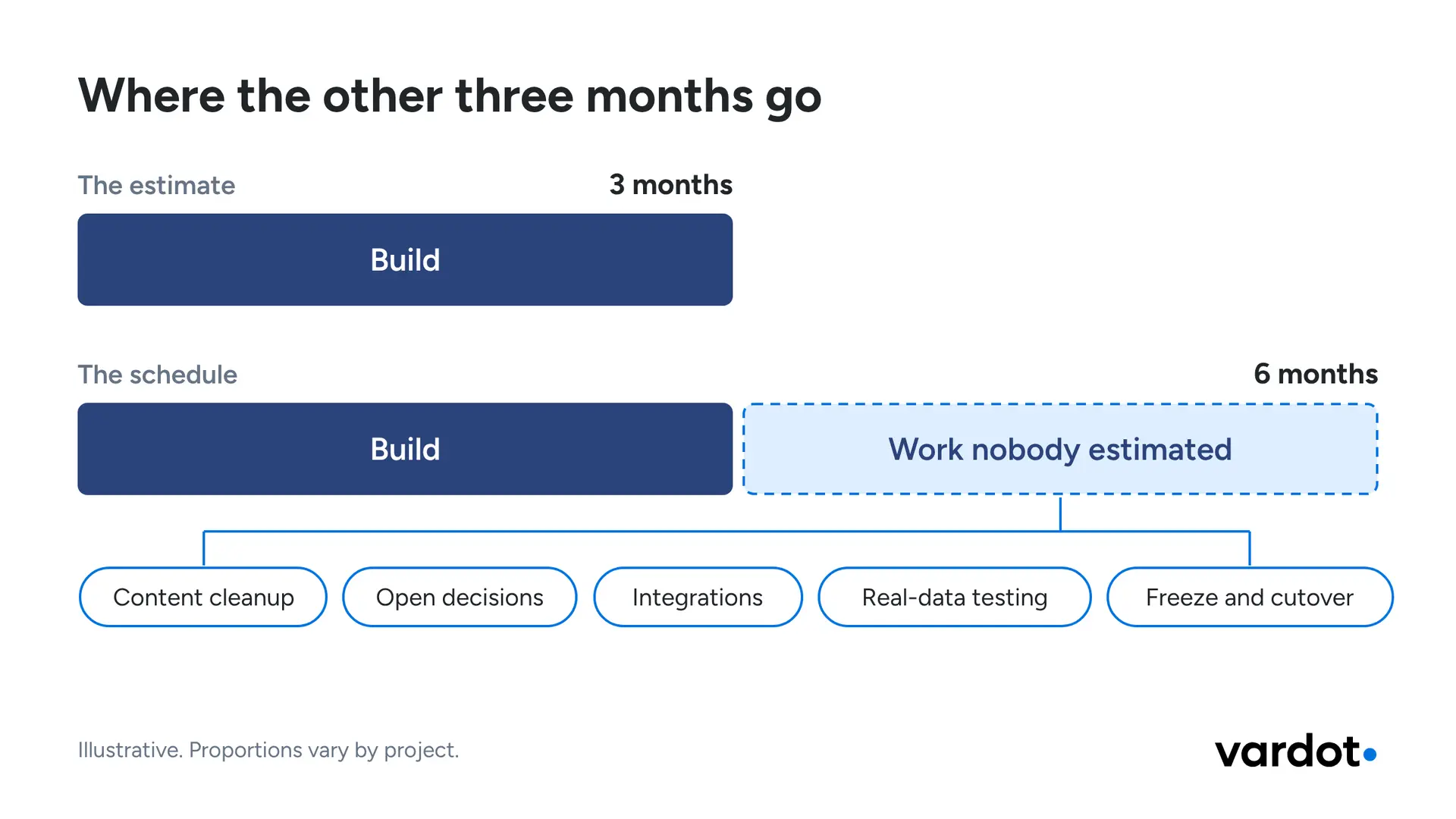
The table below compares how each part of a migration is usually estimated with what tends to happen once real content moves.
Migration work | How it’s usually estimated | What tends to happen |
|---|---|---|
Content model mapping | One field maps to one field | Old fields hold mixed data that needs cleaning or splitting first |
Content cleanup and URLs | Bulk import, then a redirect file | Outdated pages need owners to decide what to keep, merge, or retire |
Custom code and modules | Rebuild what exists | Some features are unused, and some have no direct equivalent |
Integrations | A connector per system | Each system has its own owner, test environment, and release calendar |
Decisions and approvals | Assumed to be quick | Sign-offs wait on people outside the project team |
Testing on real data | One test cycle near the end | Problems appear only when full production content runs through |
Content freeze and cutover | One weekend | Editors keep publishing, so new content must move again at launch |
Most of these rows are not engineering problems. They are content, ownership, and scheduling problems that show up as engineering delays. AI tooling now speeds up content inventory, field mapping and script writing. It doesn't speed up sign-offs or integration owners' calendars, which is why the build shrinks while the schedule doesn't.
What Changes for Website Migrations Planned in 2027?
Website migrations planned for 2027 face shorter Drupal support windows than projects did a year ago.
Drupal 10 ends. Drupal 10 reaches end of life on December 9, 2026, according to Drupal’s core release schedule. Sites that miss it will run without security releases until their migration is done.
Minor versions get shorter coverage. From 2027, each Drupal minor version (a feature update such as 11.4) gets eight months of security coverage instead of 12, under Drupal’s announcement on minor-release security coverage. A six-month migration can start on one supported version and need another before launch.
Plan for that update inside the project, not after it. Our Drupal 10 end-of-life decision calendar covers the options for teams that won't finish before the deadline.
Isn’t a Longer Estimate Just a Padded Estimate?
A longer estimate is not the same as a padded one. Padding adds weeks to a guess. Scoping replaces the guess with evidence from a trial migration, so the estimate can be longer and still more accurate.
Teams choose between two ways to plan:
- Estimate first, discover during the build: you get a quote quickly, but the risky findings arrive mid-project, when they cost the most.
- Run a short discovery with a trial migration first: quoting takes longer, but content and decision problems surface before the schedule is set. We recommend this for most enterprise migrations.
Vardot sells migrations, and a realistic estimate sometimes loses a bid to a shorter one. We still recommend it, because a schedule that slips costs more trust than one that starts longer.
Why Should a Website Migration Run Like a Release Pipeline?
Our view: migrations slip at the end because teams run the content migration once, near launch, on real data for the first time. A migration that runs once is a gamble. A migration that runs every week is a rehearsal.
Treat the migration scripts like application code. Keep them in version control, run them against a fresh copy of production content on every build, and check the results automatically. Useful checks include:
- Content counts by type, old site against new site
- Every old URL returning the new page or a redirect
- Broken links and missing files
- Required fields left empty after mapping
When the scripts have run many times, cutover (the switch from the old site to the new one) is one more run with a known result. Content added during the freeze moves the same way, because the scripts already handle new and changed items.
How Do You Scope a Website Migration That Holds Its Date?
You scope a website migration that holds its date by replacing assumptions with evidence before the schedule is fixed. Six steps do most of the work:
- Inventory content and URLs. Count content by type, and list every URL that earns traffic or links.
- Run a trial migration on real content. Move a sample of each content type and note what breaks.
- List every integration and its owner. Include who can provide a test environment, and when.
- Name an owner and a deadline for each open decision. Content retirement, design sign-off, and accessibility targets are the usual ones.
- Build rerunnable migration scripts with automated checks. Run them on every build from the first sprint.
- Plan the content freeze and the final delta. Agree how long editors stop publishing, and how late changes move at launch.
A schedule built from these six steps can still change, but each change has a named cause, an owner, and a decision date.
Which Signs Say Your Three-Month Migration Plan Will Slip?
Your three-month migration plan is likely to slip if any of these is true today:
- The estimate came from a page count or a sitemap. No one has moved real content yet.
- Integrations are listed, but owners and test environments aren’t. Each one is an open dependency.
- No one owns the decision to retire old content. Everything migrates by default, including pages nobody needs.
- Testing is one phase at the end. Problems with real data will surface when there’s no time left.
- The plan assumes a one-weekend cutover with no content freeze. New content will need a second migration.
If two or more apply, run a trial migration before you commit to a date. If none apply, your plan has avoided the most common causes of slip.
How Do You Compare Migration Partners’ Timelines?
You compare migration partners’ timelines by asking how each estimate was built, not just how short it is. A shorter quote that skipped discovery usually moves its risk into the build. Ask every partner:
- Was the estimate based on a trial migration of our content?
- Which work is excluded, such as content cleanup, redirects, or integration testing?
- Who makes each decision, and what happens if it’s late?
- How often will the migration run before launch, and what does each run check?
- What is the rollback plan if cutover fails?
Vardot’s Drupal migration service starts by testing the migration on real content and mapping every URL. Each stage has a rollback point. Vardot is a Top Tier Drupal Certified Partner.
Where Should You Start?
Start with one test: move a small sample of real content from each content type into the new platform, and see what breaks. That single run will tell you more about your timeline than any estimate. For upgrade timing, see why Q4 2026 is the most expensive time to migrate Drupal.
If you’d like a partner to run that test with you, start with a migration assessment through Vardot’s